A custom GoHighLevel login page is the front door
A custom GoHighLevel login page is the first screen your estimators, office staff and clients see every day. The customizer gives you 16 animated login designs that cover sign-in, two-factor and password reset, all tinted to your company colors. Included in every package, starting with Primer.
Why does the GHL login page design matter?
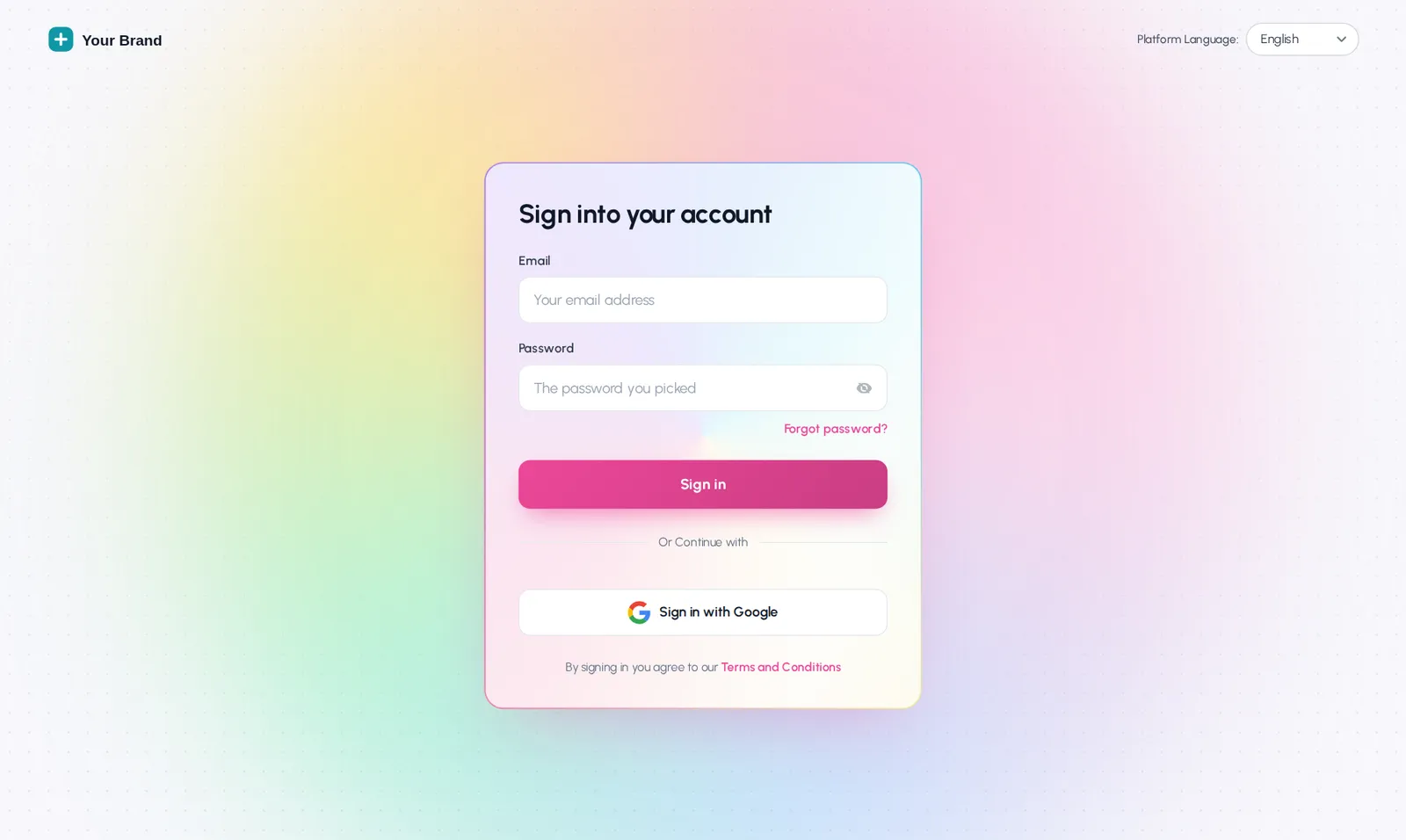
Because it is the one screen everybody sees. A login page that carries your company name tells a new estimator, a subcontractor or a client that this is your system, not a borrowed one. Stock GoHighLevel shows the same screen to every agency.
Painting companies spend real money on truck wraps, yard signs and uniforms because consistency earns trust. The login page is the digital version of the truck door. It takes minutes to change and it is seen every single morning.
It also helps agencies. If you run GoHighLevel for painting and home-service clients, a white label login page under your agency brand makes the portal feel like a finished product rather than a reseller account. Pair it with a GoHighLevel theme so the colors carry on after sign-in.
- Designs
- 16 animated layouts, 8 of them dark
- Screens
- Sign in, two-factor code, password reset
- Branding
- Logo, brand color, headline, background image on classic layouts
- Install
- One CSS line in White Label settings, once
- Included in
- Primer, Two Coats and Masterpiece Finish
Try all 16 login page designs
Pick a design, tint it with a paint-deck color, then flip to the two-factor or reset screen. We open on Holographic, a pearl page with a foil border.
Mixing the live preview…
Holographic: the same CSS that ships to GoHighLevel, applied to a copy of the real login markup. Switch screens to see two-factor and password reset.
Sign-in, two-factor and reset all match
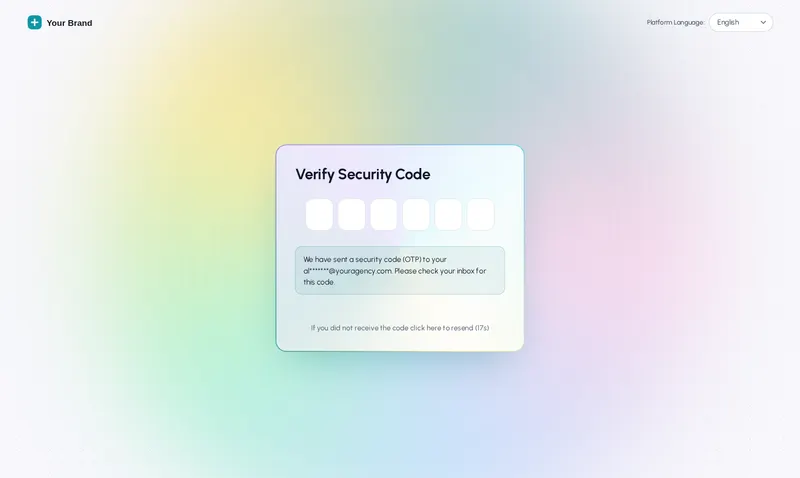
A half-finished login page shows the new design on sign-in and then drops back to stock on the two-factor code. Every design here styles all three screens, so the finish holds all the way through.
- Sign in. Your logo, headline and color on the screen people see first.
- Two-factor code. The code boxes and buttons pick up the same tint.
- Password reset. No surprise stock screen when someone forgets a password on a Monday.
Who sees your login page, and what it tells them
Crew leads at 6:45 am
The day starts with the schedule on a phone. A clean, branded login that loads fast on mobile sets the tone before the first drop cloth goes down.
New office hires
Week one is when people decide whether a company is organised. A login page with your name on it says you run a real system.
Agency clients
Agencies put their own brand on the door their painting clients walk through, and larger packages add workspaces for more brands and allowed domains.
How to set up a custom GoHighLevel login page
Choose a design, set your color and logo, save, and paste one CSS line into White Label settings. It is a one-time job of about ten minutes, and later changes need no re-install.
- Choose
Pick one of the login designs
Open the Login page module in your customizer account and choose from 16 animated designs, from calm gradients to the Holographic foil.
- Tint
Set your brand color and logo
Upload your logo, set the trim color, the headline and the background. The preview shows sign-in, two-factor and password reset as you go.
- Save
Save the design
Saving writes the CSS for you. Nothing changes in GoHighLevel until the design is installed.
- Apply
Paste the CSS line once
GoHighLevel loads Custom CSS before anyone signs in, so the login page uses one CSS line in Agency Settings, Company, White Label. After that, every saved change appears on its own.
Login page questions
What the login designs change, what they leave alone, and how they install.
8 questions
Can you customize the GoHighLevel login page?
Yes. GoHighLevel lets agencies add Custom CSS that loads before sign-in, and the customizer uses that slot to restyle the login page completely. You choose from 16 animated designs, add your logo and colors, and the sign-in, two-factor and password reset screens all match.
Which package includes the login page designs?
Every package does. Primer ($147), Two Coats ($367) and Masterpiece Finish ($747) all include all 16 designs.
Does a custom login page change how people sign in?
No. Fields, buttons, Google sign-in and two-factor codes work exactly as before. Only the look changes, so nobody on the crew needs to relearn anything.
Will it work on phones?
Yes. Each design is responsive, and the animations calm down on small screens. Use the phone button on the live preview above to check a design at phone size before you choose it.
Can I use my own photo instead of an animation?
Yes. The classic layouts take a background image, so a photo of a finished exterior or your crew works well. The animated designs bring their own backgrounds, which you can tint with your brand color.
Is there a dark login page?
Yes, 8 of the 16 designs are dark, and 4 can show a rotating line of text, which some companies use for a short welcome message.
Do I need to send you my logo or GoHighLevel access?
No. You upload the logo in your own customizer account and paste the line into your own GoHighLevel settings. We never ask for your GoHighLevel login.
What happens if I remove the CSS line?
The stock GoHighLevel login page comes back immediately. Nothing about accounts, passwords or two-factor settings is stored in the design.
No question matches that. Try another word, or ask us directly.
More colors in the deck
Put your name on the front door
All 16 login designs are in every package. Primer is $147, paid once, and the login arrives in minutes.
GoHighLevel and HighLevel are trademarks of HighLevel Inc. Painting Snapshot is independent and is not affiliated with, endorsed by or sponsored by HighLevel. The GHL Customizer is a third-party tool that restyles the interface; it does not change your contacts, workflows or automations. Packages start at $147, one-time. Prices in USD.
Last updated · counts from the customizer catalog