GoHighLevel themes: a color wall of 27 finishes
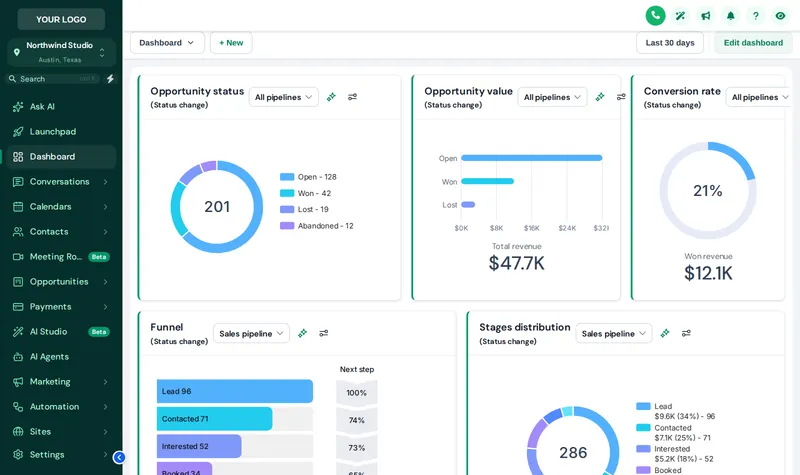
GoHighLevel themes from the customizer repaint the whole app: sidebar, header, cards, buttons, tables and forms, with 11 UI kits and dark mode on top. Start from a finished theme, tint it to your company colors, and see every change before it goes live. All of it is in the Primer base coat.
What is a GHL theme?
A GHL theme is a saved set of colors, fonts, layout and component styles that the customizer applies over GoHighLevel through its custom CSS and JavaScript slots. It changes the look of every page without changing any data, workflow or setting underneath.
Repaint a sample GoHighLevel account
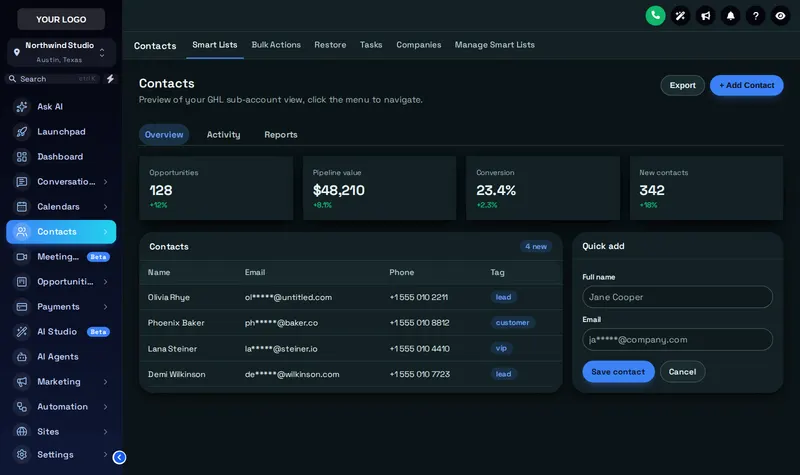
Twelve deck picks to start, or show all 27. Add a UI kit, flip to dark mode, or switch to the agency view. We open on Deep Space with the Rounded Pill kit.
Mixing the live preview…
Deep Space: the real customizer engine repainting a sample GoHighLevel sub-account. Click inside it: the menu, the collapse arrow and the Save contact dialog all respond.
GoHighLevel dark mode for the estimator who works late
Dark mode turns GoHighLevel pages, cards, tables, inputs and pop-ups dark with their own surface, border and text colors. It is easier on the eyes for evening estimate writing and looks sharp on a tablet in the truck.
- 3 dark themes designed dark from the start.
- Dark mode over any theme, using its own dark palette.
- Login stays separate, so the front door can be light while the app is dark.
11 UI kits: the sheen on top of the color
Color is only half a paint job; the sheen matters too. A UI kit restyles cards, buttons, inputs, tables, tabs and modals in one click. The kits in the account:
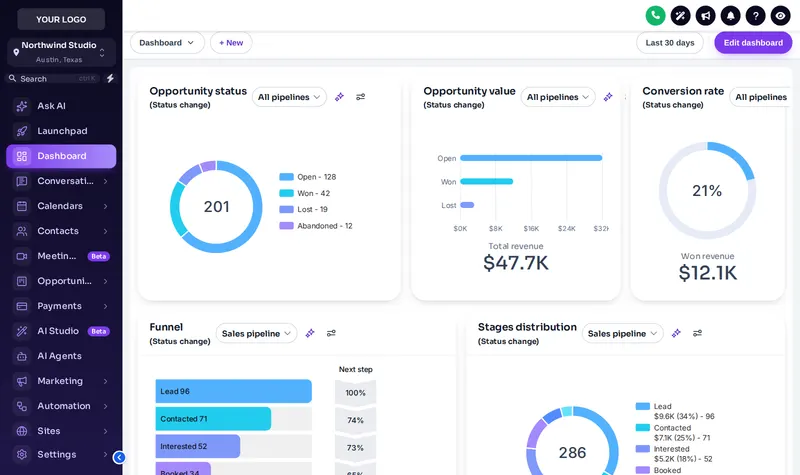
From GoHighLevel blue to a GoHighLevel white label theme
BeforeSomebody else's colors
- GoHighLevel blue on every button, tab and link
- Your logo on a sidebar every agency shares
- Plain cards, plain tables, plain forms
- No dark mode for the people who live in the app
AfterYour company's colors
- Sidebar, header and page background in your brand
- Hard-coded blues remapped to your trim color
- One UI kit across cards, buttons, inputs and tables
- Dark mode for late estimates and tablets in the truck
Want the menus to change too? That is the menus and navigation module. Want the home screen redesigned? See dashboard designs.
How to apply a GoHighLevel theme
Pick a theme, recolor it, choose a UI kit and mode, then install with one line. The install happens once; every theme change after that is live on the next page load.
- Swatch
Start from a theme
Pick one of 27 complete themes. Each one sets the sidebar, header, page background, type, corner radius, a UI kit and a matching login page.
- Tint
Recolor it to your brand
Swap in your logo, brand color and font. The colors GoHighLevel hard-codes, like its blue buttons, are remapped to yours.
- Finish
Choose a UI kit and mode
Pick one of 11 UI kits for cards, buttons, inputs and tables, and switch on dark mode if your team wants it.
- Apply
Install with one line
Paste the install line into Custom JS once. Every theme change you save afterwards goes live on the next page load.
Theme and dark mode questions
Themes, UI kits, dark mode and how they relate to custom CSS and snapshots.
8 questions
What do GoHighLevel themes change?
A theme restyles the whole GoHighLevel interface: sidebar, header, page background, typography, corner radius, cards, buttons, inputs, tables, tabs and modals, plus a matching login page. The customizer includes 27 complete themes you can recolor to your brand.
What is a GHL theme versus a UI kit?
A theme is the whole paint job: colors, layout and fonts. A UI kit is the finish on the components, such as soft shadows, bordered flat cards, glass or pill-shaped buttons. You can put any of the 11 kits on any theme.
How does dark mode work in GoHighLevel?
Dark mode switches GoHighLevel pages to a dark palette with their own surface, border and text colors. 3 themes are dark by design, and you can turn dark mode on over other themes too. The login page keeps its own design.
Is a GoHighLevel white label theme the same as a snapshot?
No. A snapshot copies funnels, workflows and settings into an account. A white label theme only changes how the interface looks. The Painting Snapshot and the customizer are separate products that work side by side.
Can the menu sit across the top instead of down the side?
Yes. Every package can switch between a sidebar and a top-bar layout, and 5 of the themes are designed top-first. Richer menu styles such as mega menus come with the Two Coats package.
Will a theme slow GoHighLevel down?
No noticeable difference. The theme is a stylesheet and a small script loaded once per page. It does not add requests to your contacts or opportunities.
Which package includes the themes?
All of them: Primer ($147), Two Coats ($367) and Masterpiece Finish ($747). Every theme, every UI kit and dark mode are in the base coat.
Can I write my own GHL custom CSS on top?
Yes. The editor has a custom code area for small tweaks. Most people never need it, because the theme settings cover colors, fonts, radius, shadows and spacing.
No question matches that. Try another word, or ask us directly.
More colors in the deck
Pick a color off the wall
Every theme, UI kit and dark mode are in Primer: $147, paid once. Your login arrives within minutes.
GoHighLevel and HighLevel are trademarks of HighLevel Inc. Painting Snapshot is independent and is not affiliated with, endorsed by or sponsored by HighLevel. The GHL Customizer is a third-party tool that restyles the interface; it does not change your contacts, workflows or automations. Packages start at $147, one-time. Prices in USD.
Last updated · counts from the customizer catalog