GoHighLevel dashboard design: your feature wall
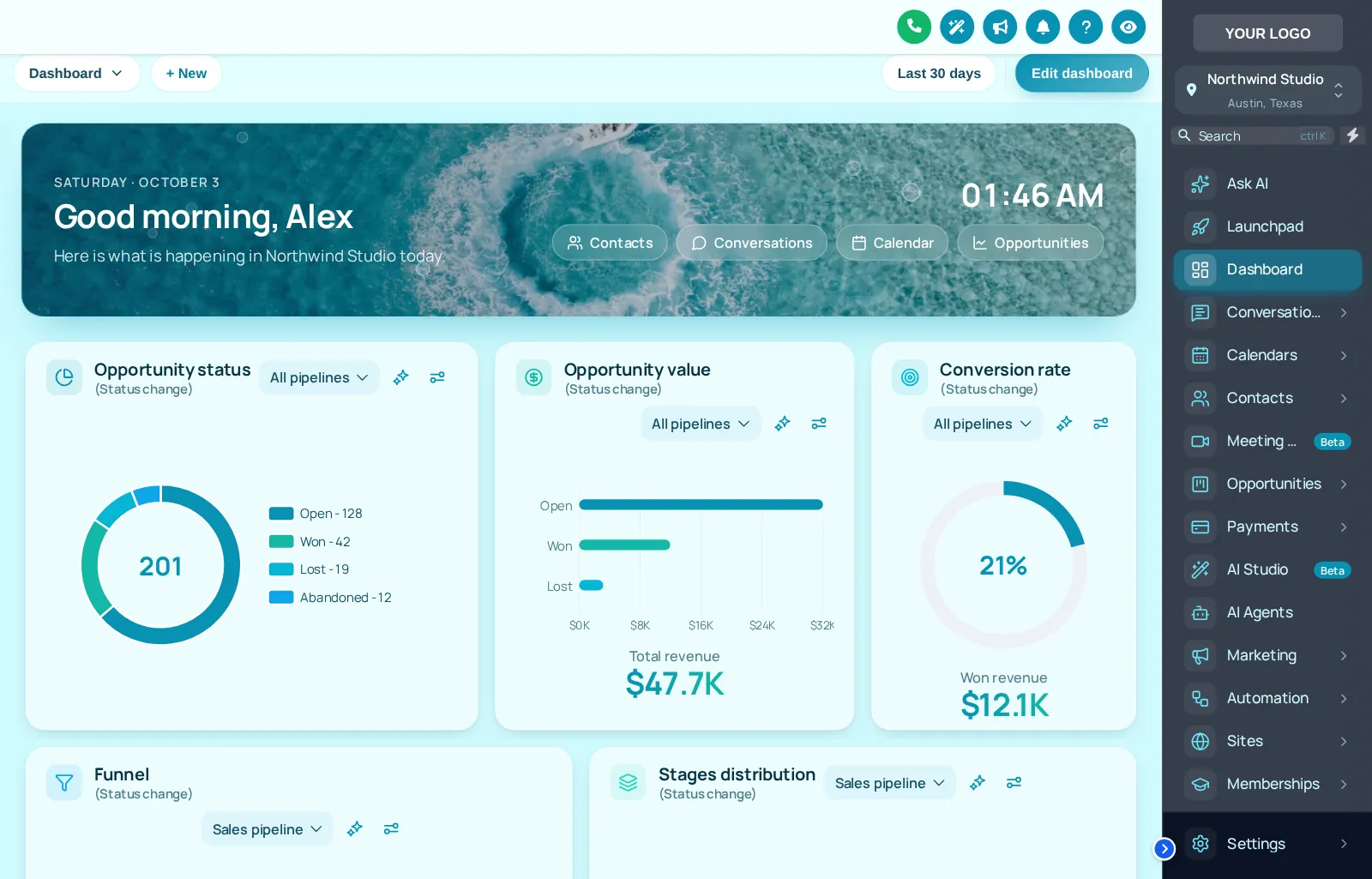
Every room has one wall that gets the bold color. In GoHighLevel it is the dashboard, the first page after login. The dashboard designer gives you 18 designs for it, from light and dark to full photo heroes like Lagoon, above. From the Two Coats package.
What does the GHL dashboard designer change?
It changes how the GoHighLevel home dashboard looks: background, hero area, greeting, widget cards, chart colors and quick links. Your widgets and numbers stay exactly as they are, so a painting office sees the same pipeline value and conversion rate in a far clearer layout.
A painting company's dashboard is where the owner checks the week: how many walkthroughs are booked, what the open estimates are worth, which jobs closed. Good GHL dashboard customization makes those numbers the loudest thing on the page and quiets everything else.
- Designs
- 18 in total
- Styles
- 9 light, 5 dark, 6 photo (some photo designs are dark)
- Changes
- Background, hero, greeting, cards, chart palette, quick links
- Leaves alone
- Widgets, filters, data and permissions
- Included in
- Two Coats and Masterpiece Finish
Try every dashboard design on a sample account
Designs are grouped into photo, light and dark. Click one and the sample GoHighLevel dashboard changes on the spot; swap the sidebar theme to see how they pair.
Mixing the live preview…
Lagoon: every chip is one of the real dashboard designs, applied by the customizer engine to a copy of the GoHighLevel dashboard. The clock is live; quick links and chart colors are part of each design.
Custom GoHighLevel dashboard ideas for painters
Monday pipeline check
Use a light design with high-contrast cards so open estimate value and conversion rate are readable at a glance before the crew meeting.
Portfolio on the hero
Put a photo of your best exterior repaint behind the greeting. Every login becomes a quiet reminder of the standard you hold.
Evening estimating
A dark design keeps the glare down when estimates are written after dinner, and pairs with GoHighLevel dark mode.
How to change the GoHighLevel dashboard design
Pick a design, tint it to your brand, preview it on desktop and phone, then save. With the install line already in place, the new dashboard reaches every user on their next page load.
- Choose
Pick a dashboard design
Open the dashboard designer and choose from 18 designs in light, dark and photo styles.
- Tint
Match it to your brand
Set the hero photo, greeting, accent colors and chart palette. Quick links can point at the pages your office uses most.
- Check
Preview on desktop and phone
The editor shows the real GoHighLevel dashboard with your design before anything goes live.
- Publish
Save and it is live
If the install line is already in GoHighLevel, saving is all it takes. Every sub-account sees the new dashboard on its next page load.
Dashboard design questions
What the designer changes, what it leaves alone, and which package unlocks it.
8 questions
What is GoHighLevel dashboard design?
It is restyling the GoHighLevel home dashboard: the page background, header, widget cards, chart colors, greeting and quick links. The customizer's dashboard designer has 18 designs that apply on top of the widgets you already use, so your numbers stay the same.
Does it change the widgets or the numbers on my dashboard?
No. Your widgets, filters and data come from GoHighLevel exactly as before. The design changes how they are presented: colors, cards, backgrounds and the hero area.
Which package includes the dashboard designer?
Two Coats ($367) and Masterpiece Finish ($747). Primer covers themes and logins but not the dashboard designer.
What are photo dashboards?
6 of the designs use a full-width photo hero, such as Lagoon with turquoise water. You can swap in your own image, for example a finished exterior from your portfolio.
Is there a dark dashboard?
Yes. 5 designs are dark, with light text on dark cards and a matching top bar and filter drop-downs.
Can each sub-account have its own dashboard design?
Designs are saved per workspace, and each workspace is one brand. Agencies with several painting brands can use a workspace per brand within their package limit.
Do the chart colors match my brand?
Each design carries its own chart palette, and the Brand Match design builds its palette from your brand color. You can also adjust the accent colors in the editor so charts sit comfortably next to your logo.
Can I switch designs for the season?
Yes. Save several designs as templates and switch between them, for example a bright design for spring exterior season and a calmer one for winter interiors.
No question matches that. Try another word, or ask us directly.
More colors in the deck
Give the home screen its feature wall
The dashboard designer comes with Two Coats, together with menus, pipelines and contact actions. $367, paid once.
GoHighLevel and HighLevel are trademarks of HighLevel Inc. Painting Snapshot is independent and is not affiliated with, endorsed by or sponsored by HighLevel. The GHL Customizer is a third-party tool that restyles the interface; it does not change your contacts, workflows or automations. Packages start at $147, one-time. Prices in USD.
Last updated · counts from the customizer catalog